 Alan Schwegler
Lioness: a hospital printer’s whole life, mapped before it shipped.
Lioness was Brady's healthcare wristband-printing platform — a printer a nurse trusts for a decade, and one an IT team has to configure five different ways. Coming out of the Code wristband workshop, I mapped its entire service life — from the sales RFP to ten years at the bedside — across four hospital roles, then designed the mobile utility that lets IT set it up without touching a PC.
The work at a glance.
- The problem
- Hospital printer setup involved four roles, five connection configurations, and years of service beyond the initial purchase.
- My responsibility
- Led service blueprinting and mobile utility design for the healthcare printing experience.
- The key decision
- Map the full lifecycle and IT setup dependencies before designing the mobile configuration screens.
- The outcome
- The work supported the platform shipped as the PDC Certis C1-30. The blueprints exposed responsibilities and dependencies across eight departments.
From a workshop idea to a printer with a ten-year job.
Healthcare printing looks unglamorous until you see the stakes: a wristband that won’t scan — or scans as the wrong patient — is a safety problem. Lioness was Brady’s answer, a thermal wristband printer for hospitals built with Code and PDC. It had to satisfy four very different people, from the nurse at the bedside to the network engineer who never sets foot on the ward.
The program came straight out of the Code wristband workshop. Before I drew a single screen, I mapped the ecosystem: who buys the printer, who configures it, who lives with it for a decade. I studied how printers actually work across eight hospital departments — admissions, point-of-care, phlebotomy, lab, pharmacy, emergency, and beyond — then turned that into a set of service blueprints the whole team could design against.
A service blueprint is the cheapest place to find the moment your product will break — years before it ships.
A working principle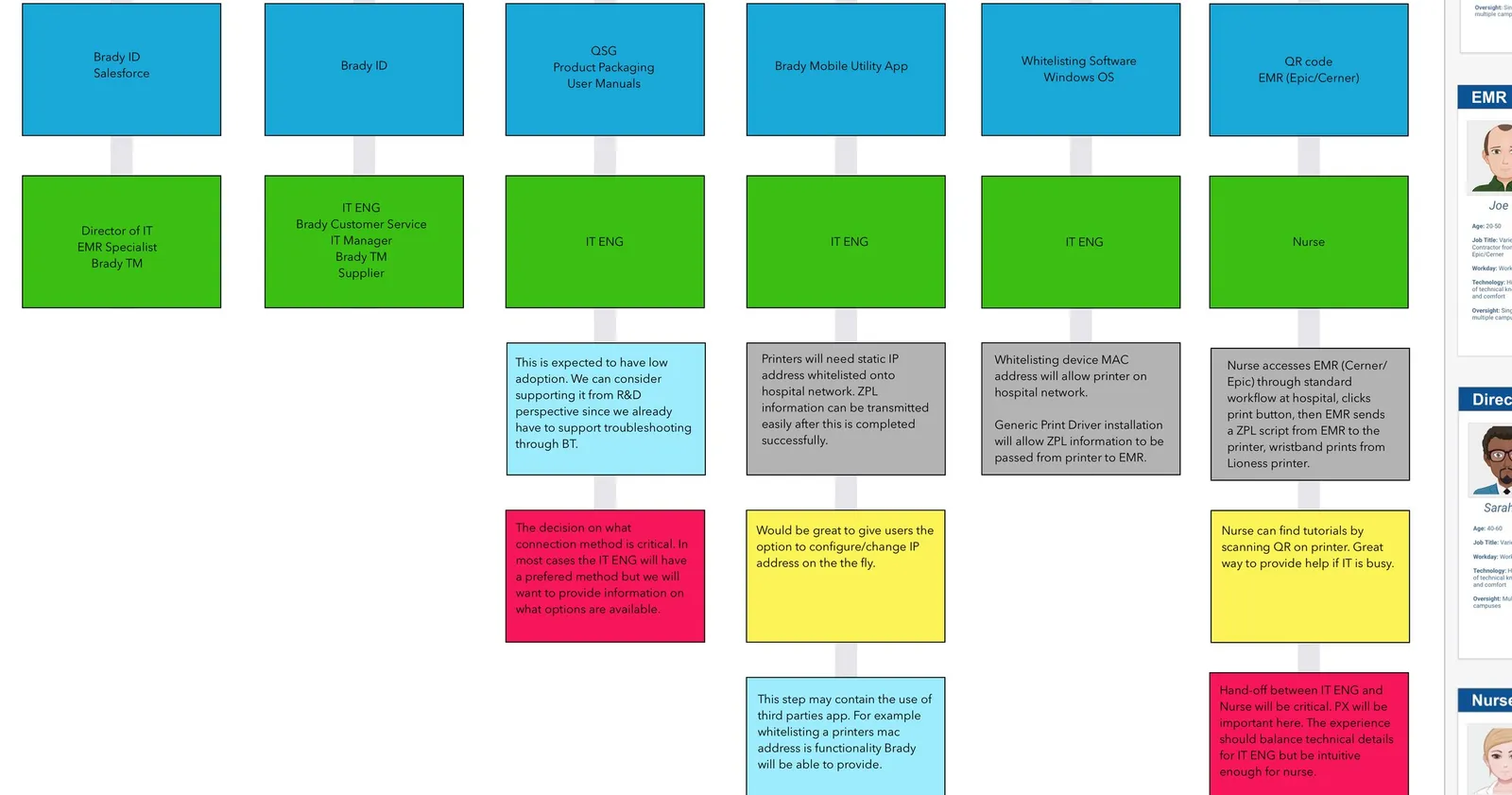
Three problems that shaped the platform.
Four very different humans, one printer
A nurse, an EMR specialist, a Director of IT, and an IT engineer all touch Lioness — with opposite priorities. The nurse wants a wristband now; IT wants nothing on the network it can’t secure; the director watches cost and patient safety. The design had to serve all four without pretending they were the same user.
Five ways to connect — none of them simple
Hospitals don’t configure printers one way. Depending on IT policy, Lioness comes online over Bluetooth, Ethernet with a device manager, Ethernet with the printer’s own web page, or USB as a host or a device. Each path is a different journey, with its own hand-offs and its own ways to fail.
The risk isn’t printing — it’s the three weeks before
Once it’s configured, the printer prints fine. The danger lives before that: whitelisting MAC addresses, assigning static IPs, installing a generic print driver so the EMR can send ZPL to the device. It’s an invisible, error-prone gauntlet — and when it goes wrong, a nurse is left without wristbands.
Three artifacts: the research, the blueprints, and the app.
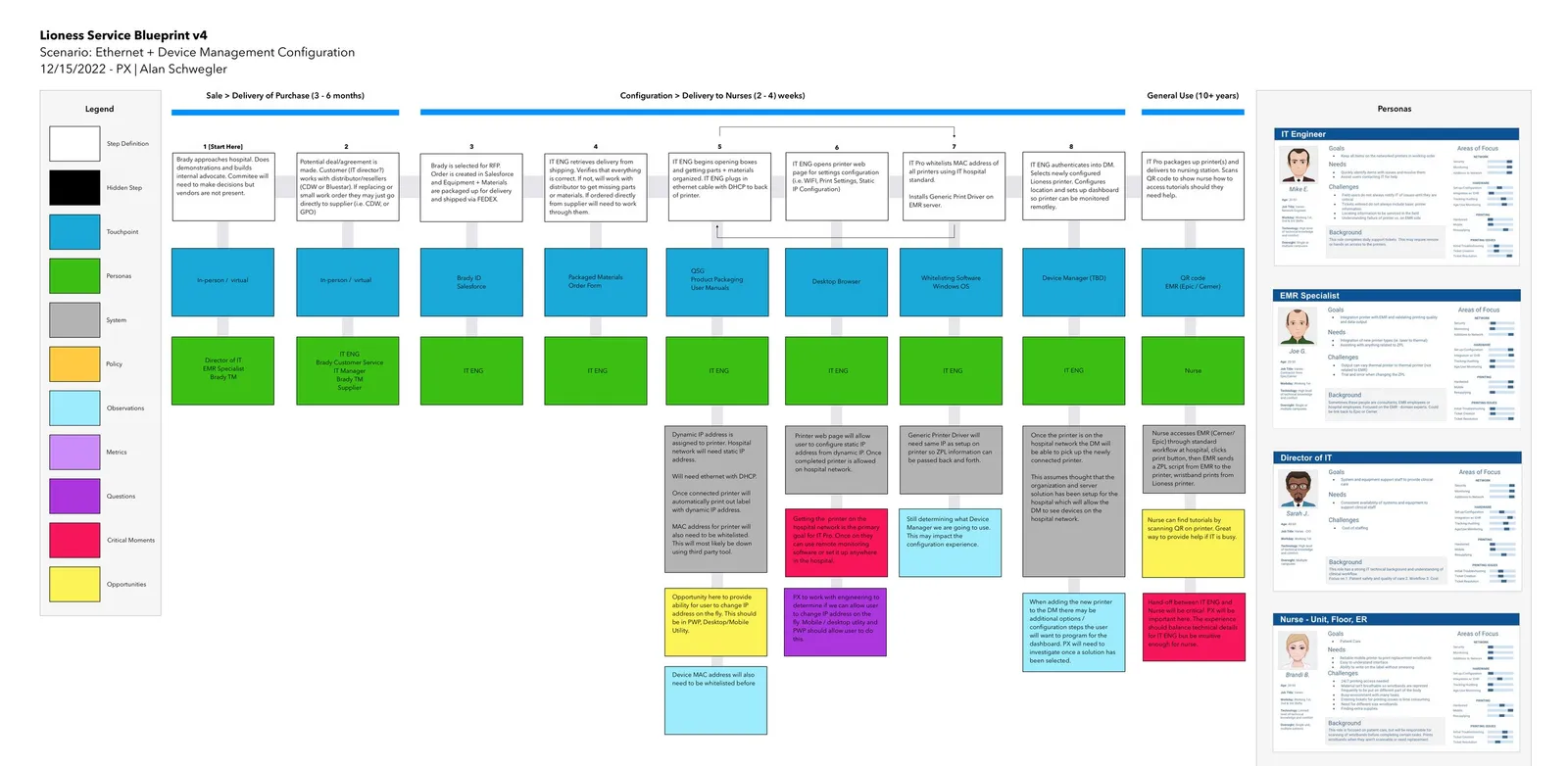
The Lioness Service Blueprints are the spine of the project. Each one maps the printer’s entire life — Sale and delivery (3–6 months), Configuration and delivery to nurses (1–3 weeks), and General Use (10+ years) — layered with touchpoints, systems, observations, critical moments, and opportunities, all read through four hospital personas.
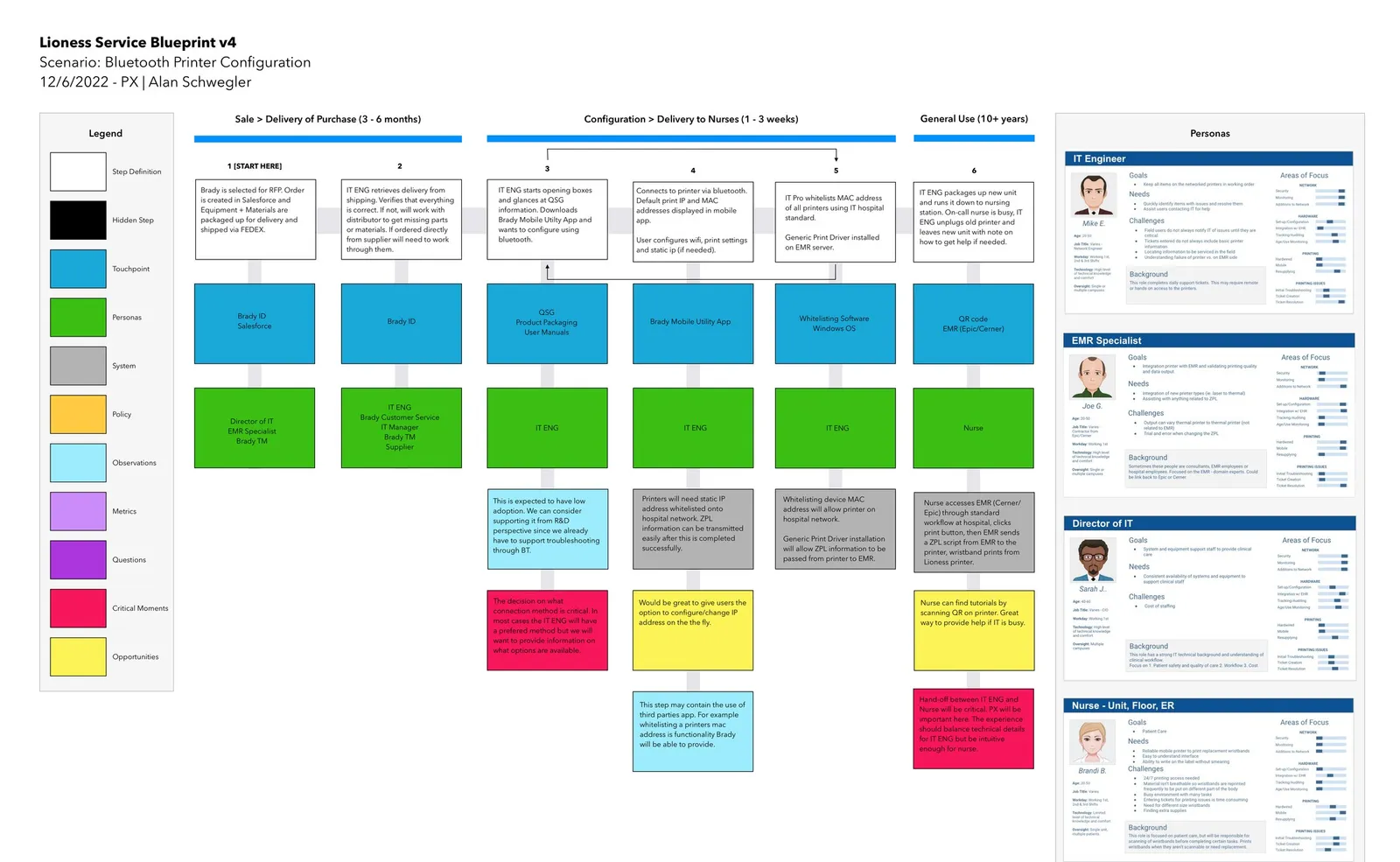
I mapped five ways a hospital brings Lioness online — Bluetooth, Ethernet + Device Manager, Ethernet + Printer Web Page, USB-Device, and USB-Host. Same journey, five technical paths. Reading them side by side is what exposed the pattern: the make-or-break moment is always the hand-off from IT to the nurse.
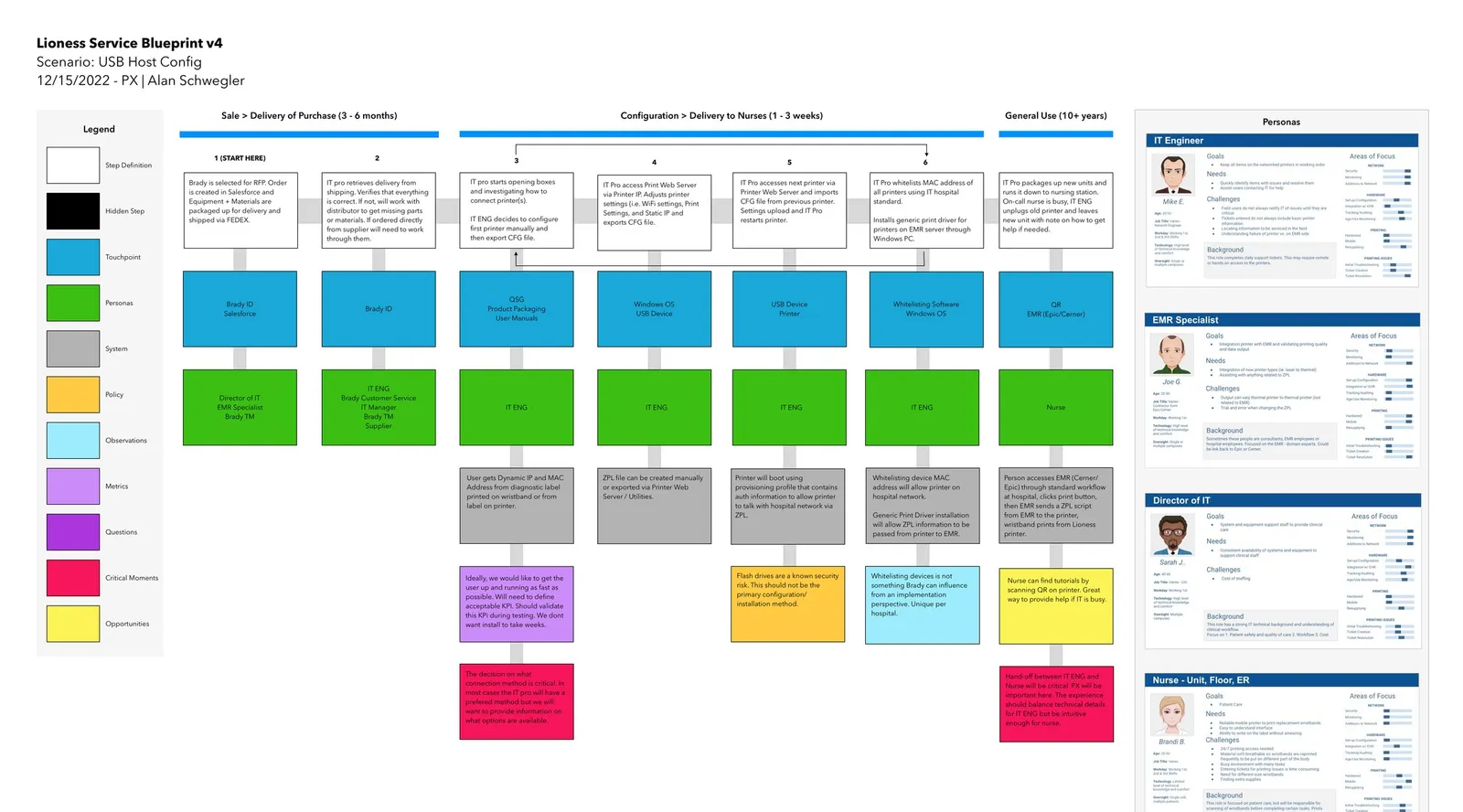
Supporting artifacts: USB-Host configuration — one of five scenarios, each blueprinted end to end
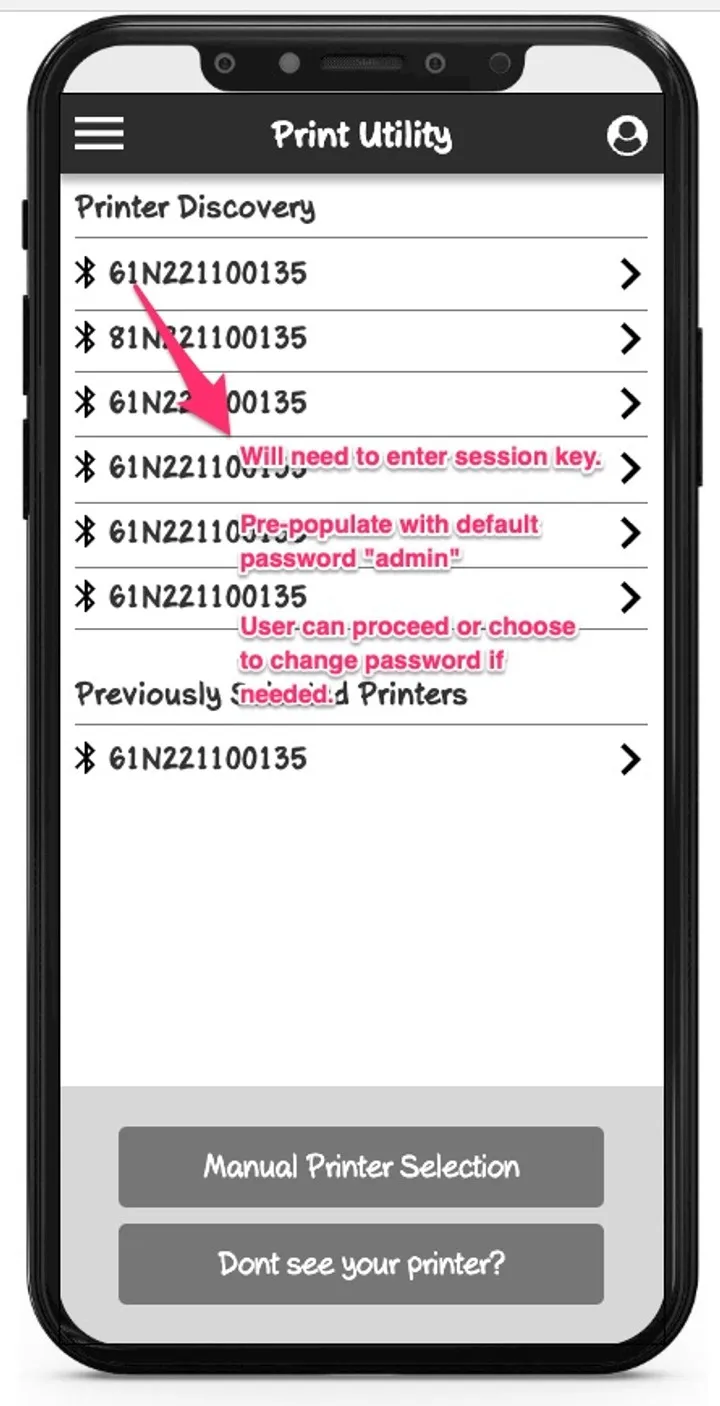
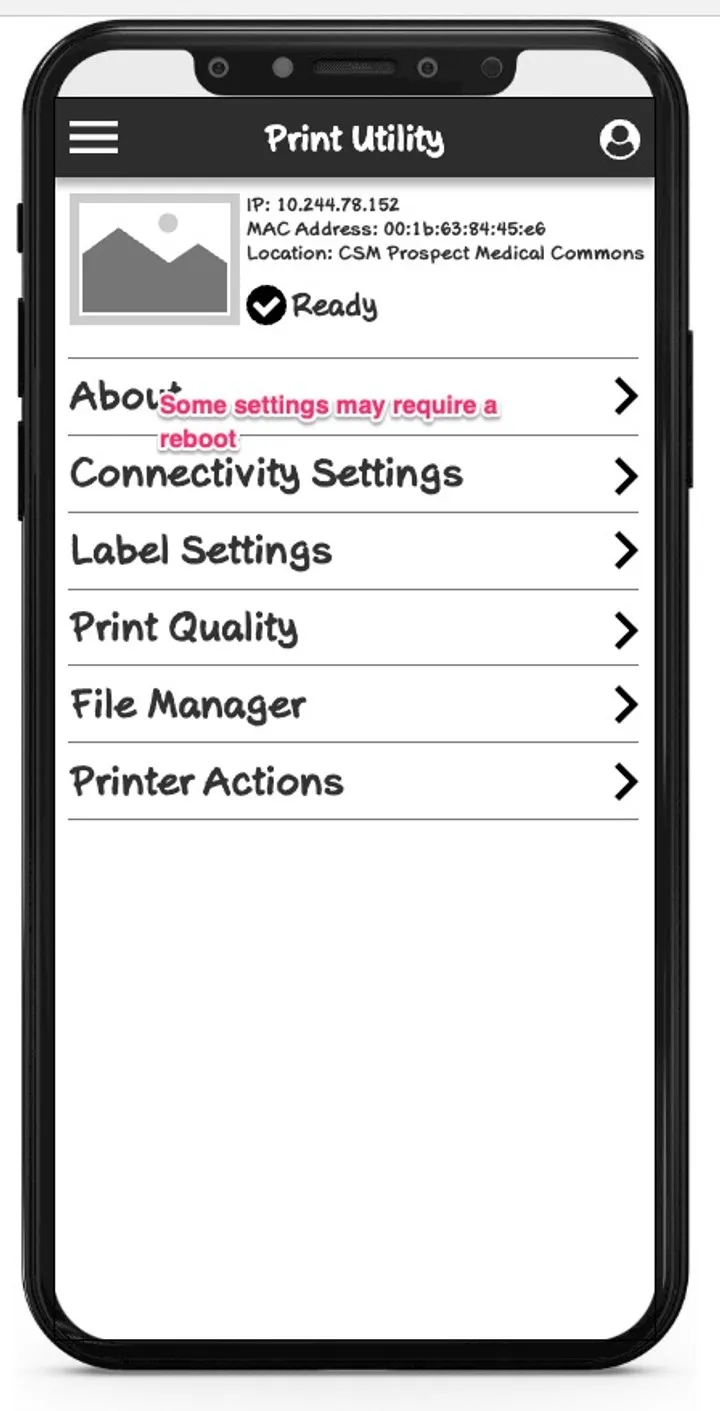
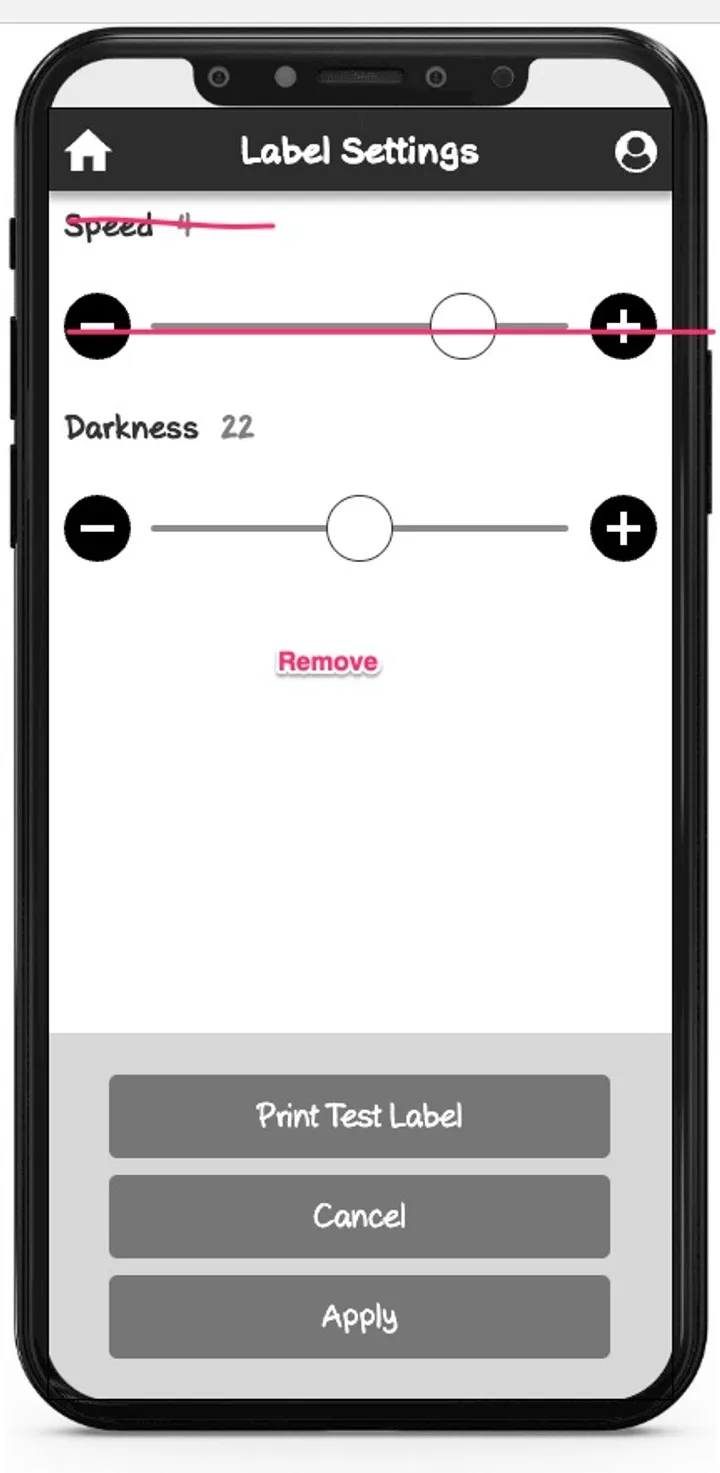
The blueprints kept pointing at the same opportunity: let IT set the printer up at the printer, not from a laptop across the building. So I designed the Lioness Print Utility — discover a printer over Bluetooth, watch it come alive, and tune it by hand.
Supporting artifacts: Print Utility — discover printers over Bluetooth
It shipped as the PDC Certis C1-30.
Lioness shipped as the PDC Certis® C1-30 Thermal Patient ID Printer. I didn’t design the hardware — but the configuration workflow, the mobile Print Utility, and the service blueprints behind them are the experience it ships with. PDC’s own page sells exactly that work: minimize IT involvement in setup and maintenance with a dependable, user-friendly interface, and seamless integration into existing EHRs.
The five connection scenarios I blueprinted are the printer’s real interfaces today — USB, Bluetooth, Ethernet, and Wi-Fi. The biggest win wasn’t a screen; it was catching the IT-to-nurse hand-off as a critical moment on paper, years before a nurse ever felt it in a ward.
8 hospital departments mapped
4 personas · HIPAA & EMR realities
Bluetooth
Ethernet + Device Manager
Ethernet + Printer Web Page
USB-Device / USB-Host
Shipped as the PDC Certis C1-30
Mobile Print Utility app
Healthcare domain research
The highest-leverage thing I did on Lioness wasn’t a screen. It was drawing the whole service — every role, every hand-off, ten years of it — so the team could argue about the right things early.
— Alan Schwegler · Lead UX Designer, BradyBrady — Product Experience
Service design, research & blueprints — Alan Schwegler
Lioness Print Utility UX — Alan Schwegler
Code · PDC · Engineering
Firmware & hardware — Code
Healthcare wristbands — PDC
EMR / ZPL integration — Engineering